Webmaster


Two styles (Fantastic & Green)
To use this two styles Open the attached file. Select “Select And Move” tool Select a desire styled layer. Select “Style” tool Choose Preset tab and click add(+) icon.
Leaf brushes
Heare are some leaf brushes. Download Tree.zip Open Brushes folderTo check your brushes folder:Select the brush preset tab and click the options button(▼) and choose Open File Location.ex) Windows 7: C:UsersUserNameAppDataRoamingHornilStylePixProLibraryUserBrushes Extract Tree.zip to Tree.ex) Windows 7: C:UsersUserNameAppDataRoamingHornilStylePixProLibraryUserBrushesTree Open StylePix… Read More »Leaf brushes
Hornil StylePix 1.8.3 is released.
You can download it right now. Changes Bug Fixes Fixed bugs that the scene doesn’t update after resizing and using tools. Fixed bugs some filters that uses the coordinates doen’t work properly. Fixed bug the layer’s name is changed in… Read More »Hornil StylePix 1.8.3 is released.
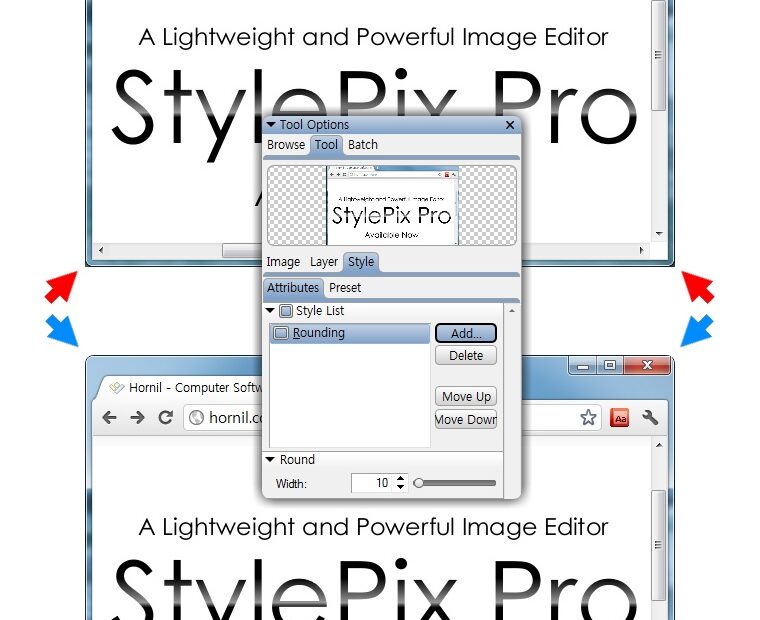
How to screen capture windows with rounded corners.
If you have enabled Aero in Windows 7 or Vista, the window will also have rounded corners. This tutorial describes method of capturing and removing the background wallpaper of rounded corners of the window. To capture a screen shot of the… Read More »How to screen capture windows with rounded corners.
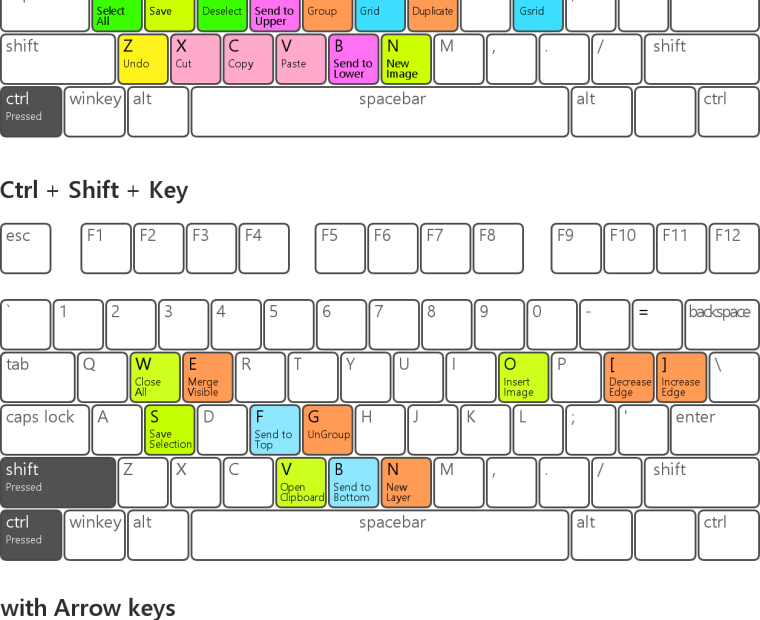
Hornil StylePix Keyboard Shortcuts
All the tools are accessible by following: Many commands are accessible via the keyboard. Hornil StylePix do not distinguish Uppercase or lowercase letters. For example, you can access the Select And Move tool via either s key or S key.

Hornil StylePix 1.8.2 is released.
You can download it right now. Changes New Features Added auto play feature in slideshow. Improvements Changed the “Slideshow” and “Previous file” icons in Main tools. Bug Fixes Fixed the title of groupbox doesn’t display correctly. Fixed bugs that the… Read More »Hornil StylePix 1.8.2 is released.
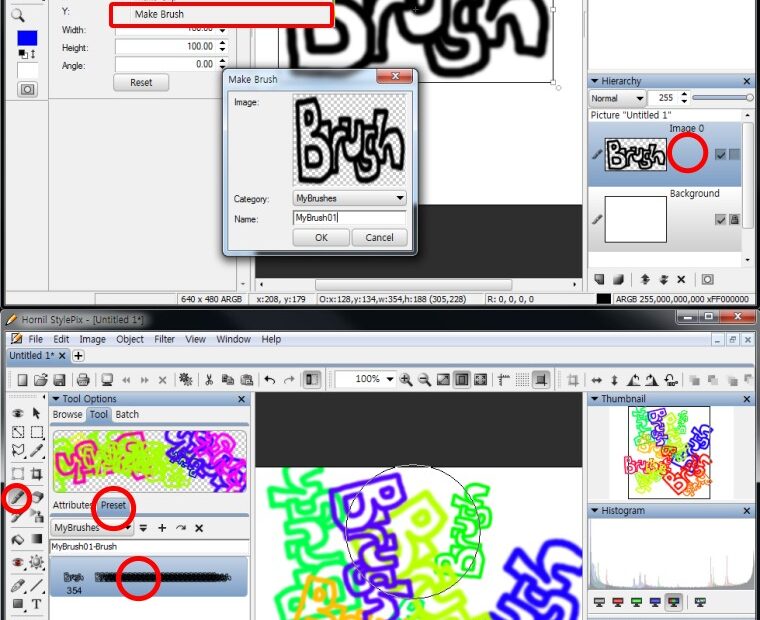
How to make a stylepix brush
To make your own brushes Create an new image. Add a nwe image layer. Draw brush stroke. Select the desire layer to make a brush. Click the “Object > Make Brush”. Type a name of brush. Select the desire category.… Read More »How to make a stylepix brush