 Hornil StylePix User Manual
※ Latest version: StylePix , StylePix Pro
Hornil StylePix User Manual Lasso Tool
The lasso tool consist of the  Freehand Lasso Tool and the Polygonal Lasso Tool. These tools are used to make free-hand and polygonal selections of the active layer.
icon or icon in the tools panel.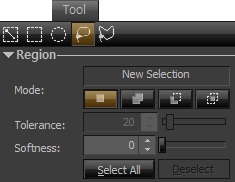 Freehand Lasso
 Using the ordinary lasso tool, simply click and drag a freehand selection with your mouse.
 Polygonal Lasso
click to make various points which will define a selection, and finish your selection by clicking the starting point or pressing Enter key.

To move the selection, see Moving Region selections.